|
NORTH CENTRAL TEXAS COLLEGE
COURSE SYLLABUS
|
|
|
Course Title:
|
Spreadsheets
|
|
Course Prefix & Number:
|
POFI1349
|
Section Number:
|
360
|
Semester/Year:
|
171S
|
|
Semester Credit Hours:
|
3
|
Lecture Hours:
|
32
|
Lab Hours:
|
32
|
|
Course Description (NCTC Catalog):
|
Skill development in concepts, procedures, and application of spreadsheets.
|
| |
|
|
Course Prerequisite(s): None
|
|
Required or Recommended Course Materials:
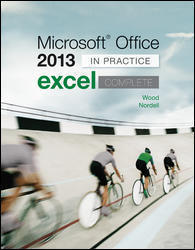
In-Practice Microsoft Excel 2016 Complete ebook and access code for SIMnet. This access card can be purchased from the NCTC bookstore or online. You will access SIMnet within Canvas for all assignments.
AND
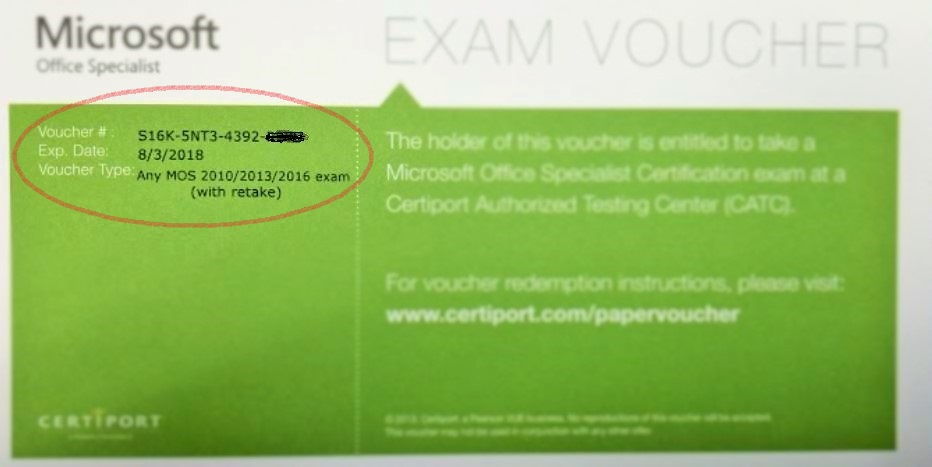
MOS Voucher – This product includes one Microsoft Office Specialist Exam Voucher with a retake, which may be used for any of the MOS exam (Word, Word Expert, Excel, Excel Expert, PowerPoint, Access, Outlook, Access, OneNote, SharePoint) in versions for Office 2010, 2013 and 2016. The final will be a MOS Certification Exam that you will need to schedule with the testing center.
All POFI1349 Course materials/books can purchased at the NCTC Bookstore
|
| |
|
|
|
|
|
|
INSTRUCTOR INFORMATION
|
Name of Instructor:
|
Dawn Dias
|
|
Campus/Office Location:
|
Corinth Campus, Room 313
|
|
Telephone Number:
|
940-498-6263
|
|
E-mail Address:
|
ddias@nctc.edu
|
OFFICE HOURS
|
Monday
|
Tuesday
|
Wednesday
|
Thursday
|
Friday
|
|
ONLINE
|
ONLINE
|
Room 313
|
Room 313
|
|
|
10am – 1pm
|
10am – 1pm
|
10am – 3pm
|
10am – 3pm
|
|
| |
STUDENT LEARNING OUTCOMES (From Academic Course Guide Manual/Workforce Education Course Manual/NCTC Catalog
|
At the successful completion of this course the student will be able to:
|
|
LO1
|
Identify spreadsheet terminology and concepts.
|
|
LO2
|
Calculate data using formulas and functions
|
|
LO3
|
Create and modify workbooks
|
|
LO4
|
Insert graphics
|
|
LO5
|
Generate charts and reports
|
|
LO6
|
Create and use special functions
|
GRADING CRITERIA
|
# of Graded Course Elements
|
Graded Course Elements
|
Percentage or Point Values
|
|
7
|
Chapters:
Each chapter includes:
Pre-Test
Chapter Assignments
Post-Test
|
Must score 85% or better on all assignments in order to pass this course. Please see Canvas for detailed course information and course map.
|
|
1
|
Course Competency Assignments
|
|
1
|
MOS Certification Final
|
COURSE SUBJECT OUTLINE (Major Assignments, Due Dates, and Grading Criteria)
|
Creating and Editing Workbooks
|
Students will Create, save, and open an Excel workbook, Enter and edit labels and values in a worksheet, Use the SUM function to build a simple formula, Format a worksheet with font attributes, borders, fill, cell styles, and themes, Modify columns and rows in a worksheet, Insert, delete, and move worksheets in a workbook, Modify the appearance of a workbook by adjusting zoom size, changing views, and freezing panes, and Review and prepare a workbook for final distribution by spell checking, setting properties, and adjusting page setup options
|
Refer to the Canvas module “Detailed Course Information” for specific chapter instructions, assignments, and grading requirements.
|
|
Working with Formulas and Functions
|
Students will Build and edit basic formulas, Set mathematical order of operations in a formula, Use absolute, mixed, relative, and 3D references in a formula, Use formula auditing tools in a worksheet, Work with Statistical and Date & Time functions, Work with functions from the Financial, Logical, and Lookup & Reference categories, and Build functions from the Math & Trig category
|
|
Creating and Editing Charts
|
Students will Create Excel chart objects and chart sheets, Use quick layouts and chart styles to design a chart, Edit chart elements including titles, data labels, and source data, Format chart elements with shape styles, fill, outlines, and special effects, Use pictures, shapes, and WordArt in a chart, Build pie charts and combination charts, Create sunburst and waterfall charts, and Insert and format sparklines in a worksheet
|
|
Formatting, Organizing, and Getting Data
|
Students will Create and format a list as an Excel table, Apply Conditional Formatting rules as well as Color Scales, Icon Sets, and Data Bars, Sort data by one or more columns or by attribute, Filter data by using AutoFilters and by creating an Advanced Filter, Use subtotals, groups, and outlines for tabular data in a worksheet, Import data into an Excel worksheet from a text file, a database file, and other sources, Export Excel data as a text file and into a Word document, and Build and format a PivotTable
|
|
Consolidating, Linking, and Inserting Objects
|
Students will Create a static data consolidation, Create a dynamic data consolidation, Consolidate data by category, Group worksheets for editing and formatting, Link workbooks to consolidate data, Insert Illustrations using SmartArt, screenshots, and pictures in a worksheet, Insert hyperlinks in a worksheet, and Safeguard work by marking it as final or by setting a password
|
|
Exploring the Function Library
|
Students will Use database functions such as DSUM and DAVERAGE, Build AND, OR, nested, and IFS functions, Explore the Lookup & Reference category with INDEX, MATCH, and TRANSPOSE, Build date, time, and statistical calculations, Use Financial functions such as PV, FV, and NPV, Work with Text functions such as TEXTJOIN, CONCAT, EXACT, and REPLACE, Use multiple criteria in SUMIFS, AVERAGEIFS, and COUNTIFS functions, and Monitor and edit functions with the Watch Window and Find and Replace
|
|
Working with Templates and Sharing Work
|
Students will Set data validation, input messages, and error alerts, Create and use a form with form controls and ActiveX controls, Create a workbook from a template and save a new template, Mark a workbook as final and encrypt a workbook with a password, Share a workbook, set change tracking options, and compare and merge workbooks, and Inspect a workbook, check compatibility, and define a trusted location
|
|
Exploring Data Analysis and Business Intelligence
|
Students will Create and manage scenarios for worksheet data, Use Goal Seek to backsolve a cell value for a formula, Use Solver to find a solution for a formula, Build data tables with one and two variables, Create a forecast sheet for time-based data, Get and transform data in a query, Explore PivotTable tools, and Use the Analysis ToolPak to calculate statistical measures
|
|
Recording and Editing Macros
|
Students will Run a macro, Record a macro, Assign a macro to a Button form control, Edit a macro in the Visual Basic Editor (VBE), Record a macro with relative references, Save a macro-enabled template, Create a macros-only workbook
|
|
Customizing Excel and Using OneDrive and Office Online
|
Students will Customize Excel 2016 options, the Ribbon, and the Quick Access toolbar to personalize your working environment, View and modify Office account settings and install an Office add-in, Create a folder, add a file, move and copy a file in OneDrive, Share OneDrive files and folders, Open, create, and edit an Excel workbook in Office Online, Explore Office Online applications and productivity tools
|
|
FINAL MOS CERTIFICATION EXAM
|
ATTENDANCE POLICY
Regular and punctual attendance is expected of all students in all classes for which they have registered. All absences are considered to be unauthorized unless the student is absent due to illness or emergencies as determined by the instructor. It is the student responsibility to provide documentation as to the emergency for approval and judgement by the faculty member. Approved college sponsored activities are the only absences for which a student should not be held liable and only when provided by a college official ahead of the absence. Valid reasons for absence, however, do not relieve the student of the responsibility for making up required work. Students will not be allowed to make up an examination missed due to absence unless they have reasons acceptable to the instructor. A student who is compelled to be absent when a test is given should petition the instructor, in advance if possible, for permission to postpone the exam. Student will be dropped from a class by the Registrar upon recommendation of the instructor who feels the student has been justifiably absent or tardy a sufficient number of times to preclude meeting the course’s objectives. Persistent, unjustified absences from classes or laboratories will be considered sufficient cause for College officials to drop a student from the rolls of the College. From Board Policy FC (LOCAL)
Last day to withdraw from a course with a “W” is November 9, 2017.
COURSE ATTENDANCE POLICY:
In lieu of classroom attendance, the following will constitute the course attendance policy: Each student is expected to log in at least three times a week and complete weekly assignments to constitute regular attendance. Failure to log in for two successive weeks will be cause for concern and will be reported to the Fast Start IV Grant Coordinator.
The last day to drop is September 28, 2017. In order to drop the course, you must schedule an appointment with Sarah Marrow, Fast Start IV Grant Coordinator at 940-668-7731 ext. 4957 or schedule an appointment by emailing Sarah at smorrow@nctc.edu.
This online course requires dedication and effort on your part. You must set aside time each week to do your assignments. You should expect to spend 10 to 12 hours each week on this course. It is very easy to fall behind and it is difficult to catch up on missed work!
Course Success Tip: Stay current in your work, log in often, and check announcements for any special notices.
OTHER PERTINENT INFORMATION
- This course begins August 28, 2017 and ends October 20, 2017. This course is designed as a self-paced course. There are no weekly deadlines. However, it is highly encouraged that you log in at least four-five times a week to work on assignments.
- All course work is available via the Internet through NCTC’s CANVAS Learning Management System. Access CANVAS at https://nctc.instructure.com. Please go to https://nctc.instructure.com and bookmark (save to favorites) this site. It is not necessary to access CANVAS through the NCTC Website.
- It is the student’s responsibility to check the Course website and his or her course mail at least three times weekly.
- If a student should experience problems accessing the course material in CANVAS OR sending/receiving course mail, it is the student’s responsibility to notify the instructor immediately.
- Student data files may downloaded from the textbook publisher’s Website. See instructions on the Course homepage in CANVAS.
- Expect to spend 10 to 15 hours a week working in this course, the same amount of time it would take to attend and complete the assignments for an on-campus class.
- Students are required to complete all course work with a grade of 85% or higher in order to pass this course.
- Emails will be answered within 24 hours Monday through noon on Friday. After noon on Friday through Sunday, they will be answered after 10am on Monday.
DISABILITY SERVICES (Office for Students with Disabilities)
The Office for Students with Disabilities (OSD) provides support services for students with disabilities, students enrolled in technical areas of study, and students who are classified as special populations (i.e. single parents).
Support services for students with disabilities might include appropriate and reasonable accommodations, or they may be in the form of personal counseling, academic counseling, career counseling, etc. Furthermore, OSD Counselors work with students to encourage self-advocacy and promote empowerment. The Counselors also provides resource information, disability-related information, and adaptive technology for students who qualify.
If you feel you have needs for services that the institution provides, please reach out to either Wayne Smith (940) 498-6207 or Yvonne Sandman (940) 668-4321. Alternative students may stop by Room 170 in Corinth or Room 110 in Gainesville.
CORE CURRICULUM FOUNDATIONAL COMPONENT AREA (For classes in the Core)________
o Communication
o Mathematics
o Life and Physical Science
o Language, Philosophy & Culture
o Creative Arts
o American History
o Government/Political Science
o Social and Behavioral Sciences
o Component Area Option
REQUIRED CORE OBJECTIVES (For classes in the Core)
o Critical Thinking
o Communication
o Empirical and Quantitative
o Teamwork
o Personal Responsibility
o Social Responsibility
COURSE TYPE
o Academic General Education Course (from ACGM but not in NCTC Core)
o Academic NCTC Core Curriculum Course
x WECM Course
STUDENT HANDBOOK
Students are expected to follow all rules and regulations found in the student handbook and published online.
ACADEMIC DISHONESTY
Scholastic dishonesty shall include, but is not limited to cheating, plagiarism, academic falsification, intellectual property dishonesty, academic dishonesty facilitation and collusion. Faculty members may document and bring charges against a student who is engaged in or is suspected to be engaged in academic dishonesty. See Student Handbook, “Student Rights & Responsibilities: Student Conduct Policy”.
Consequences for academic dishonesty may include:
- Academic Reprimand – A verbal or written notice warning to the student that academic misconduct has occurred.
- Assigning a failing grade (no credit) on the specific assignments, projects, papers, programs, labs, or examinations.
QUESTIONS, CONCERNS, or COMPLAINTS
|
Name of Grant Coordinator:
|
Sara Marrow
|
|
Office Location:
|
Gainesville, CTC 2109
|
|
Telephone Number:
|
940-668-7731 x 4957
|
|
E-mail Address:
|
smarrow@nctc.edu
|
|
Name of Division Chair:
|
Dr. Cherly Furdge, Division Chair
|
|
Office Location:
|
Corinth Campus, Room 234
|
|
Telephone Number:
|
940-498-6238
|
|
E-mail Address:
|
cfurdge@nctc.edu
|
|
Name of Instructional Dean:
|
Debbie Huffman
|
|
Office Location:
|
Gainesville, CTC 2106
|
|
Telephone Number:
|
940-668-3357
|
|
E-mail Address:
|
dhuffman@nctc.edu
|